Published
- 9 min read
CPE241 Week 9
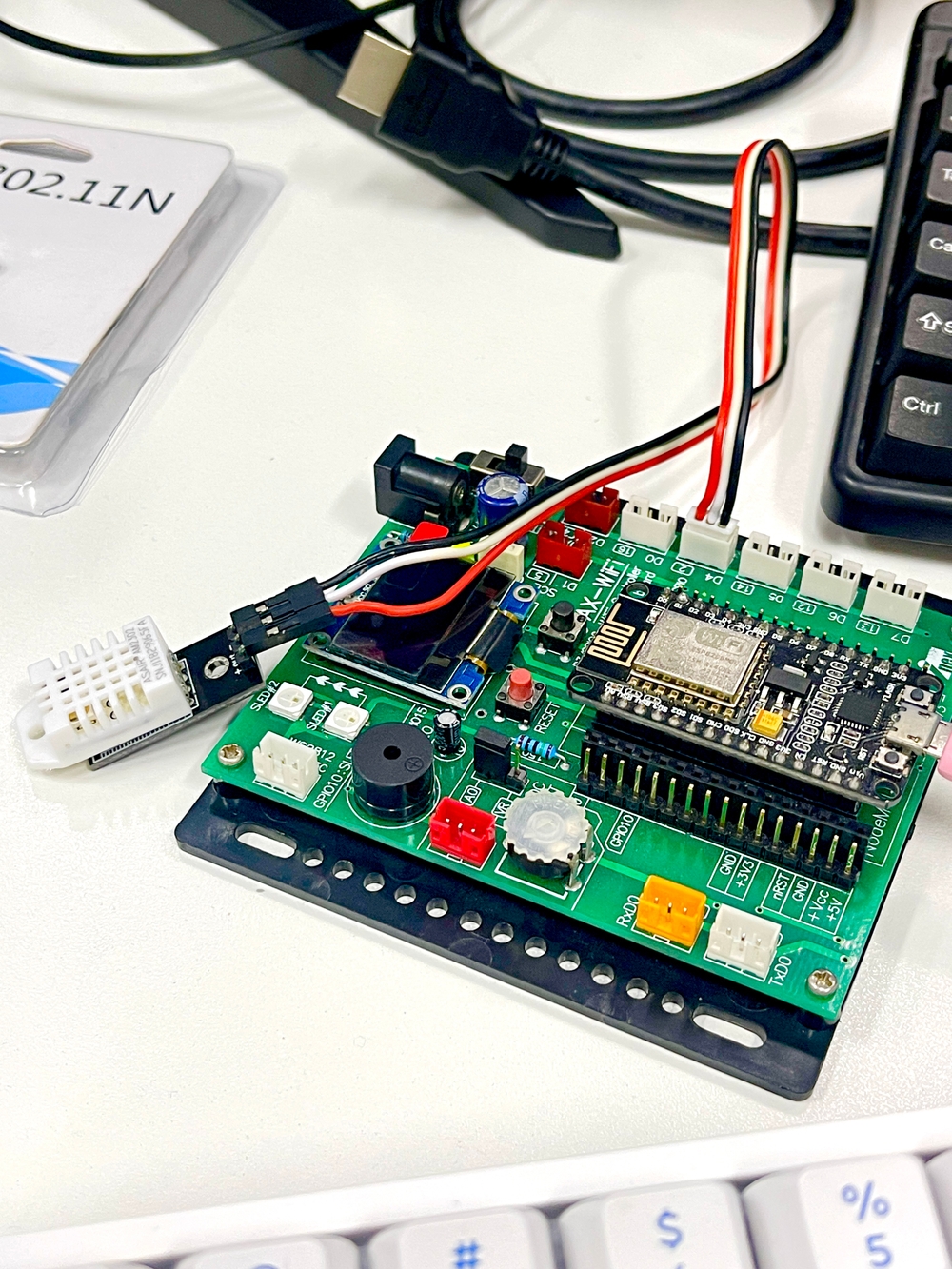
HTTP
HTTP (Hypertext Transfer Protocol) is an application layer protocol used primarily for transmitting hypertext (web pages) over the internet.
Request and Response:
-
Request: A client (usually a web browser) sends an HTTP request to a server. This request includes:
-
Method: The type of request (e.g., GET, POST, PUT, DELETE).
-
URL: The resource being requested.
-
Headers: Metadata about the request (e.g., content type, user agent).
-
Body: Data sent to the server (mostly used with POST and PUT methods).
-
Response: The server processes the request and sends back an HTTP response, which includes:
-
Status Code: Indicates the result of the request (e.g., 200 OK, 404 Not Found).
-
Headers: Metadata about the response (e.g., content type, server information).
-
Body: The actual content requested (e.g., HTML, JSON).
Methods:
- GET: Retrieves data from a server. Used for requesting resources without modifying them.
- POST: Sends data to a server to create or update a resource.
- PUT: Updates a resource with the provided data.
- DELETE: Removes a resource from the server.
- HEAD: Similar to GET, but retrieves only the headers without the body.
Status Codes:
- 1xx: Informational responses (e.g., 100 Continue).
- 2xx: Successful responses (e.g., 200 OK, 201 Created).
- 3xx: Redirection (e.g., 301 Moved Permanently).
- 4xx: Client errors (e.g., 404 Not Found, 403 Forbidden).
- 5xx: Server errors (e.g., 500 Internal Server Error).
Headers:
- Request Headers: Provide additional information about the request (e.g.,
User-Agent,Accept). - Response Headers: Provide information about the response (e.g.,
Content-Type,Content-Length).
Stateless Protocol:
- HTTP is stateless, meaning each request from a client to a server is treated as an independent transaction. The server does not retain information about previous requests.
Http
       #include <ESP8266WiFi.h>

const char* ssid = "SSID";          // Your Wi-Fi SSID
const char* password = "Password";  // Your Wi-Fi password
const char* host = "www.example.com"; // Host to connect to
const char* path = "/"; // Host server path
const int port = PORT; // Host server port

void setup() {
    Serial.begin(115200);
    Serial.println();
    Serial.printf("Connecting to %s ", ssid);

    // Connect to Wi-Fi
    WiFi.begin(ssid, password);
    while (WiFi.status() != WL_CONNECTED) {
        delay(500);
        Serial.print(".");
    }
    Serial.println(" connected");
}

void loop() {
    WiFiClient client; // Create a client object
    Serial.printf("\n[Connecting to %s ... ", host);

    // Attempt to connect to the server
    if (client.connect(host, port)) {
        Serial.println("connected]");
        Serial.println("[Sending a request]");

        // Send the HTTP GET request
        client.print(String("GET / HTTP/1.1\r\n") +
                     "Host: " + host + "\r\n" +
                     "Connection: close\r\n\r\n");

        Serial.println("[Response:]");

        // Read the response from the server
        while (client.connected() || client.available()) {
            if (client.available()) {
                String line = client.readStringUntil('\n');
                Serial.println(line); // Print each line of response
            }
        }

        client.stop(); // Close the connection
        Serial.println("\n[Disconnected]");
    } else {
        Serial.println("connection failed!]");
        client.stop();
    }

    delay(5000); // Wait before the next loop
}
Node.js
       const http = require('http'); // Import the http module

// Create the server and define the request handling function
const server = http.createServer(function(req, res) {
    res.statusCode = 200; // Set the HTTP status code to 200 (OK)
    res.setHeader('Content-Type', 'text/plain'); // Set the content type to plain text
    res.write("hello World!!! "); // Send the response body
    res.end(); // End the response
});

// Make the server listen on port 8080
server.listen(8080, () => {
    console.log('Server running at http://localhost:8080/'); // Log to the console when the server is running
});
Express.js (GET)
ESP Code
       #include <ESP8266WiFi.h>
const char* ssid = "SSID";          // Your Wi-Fi SSID
const char* password = "Password";  // Your Wi-Fi password
const char* host = "IP Address of Server"; // Server IP address
const char* path = "/getupdate";    // Path for the GET request
const int port = 8080;               // Port number

void setup() {
    Serial.begin(115200);
    Serial.println();
    Serial.printf("Connecting to %s ", ssid);

    // Connect to Wi-Fi
    WiFi.begin(ssid, password);
    while (WiFi.status() != WL_CONNECTED) {
        delay(500);
        Serial.print(".");
    }
    Serial.println(" connected");
}

void loop() {
    WiFiClient client; // Create a client object
    float t = random(0, 100); // Generate random temperature
    float h = random(0, 100); // Generate random humidity
    Serial.printf("\n[Connecting to %s:%d ... ", host, port);

    // Attempt to connect to the server
    if (client.connect(host, port)) {
        Serial.println("connected]");
        Serial.println("[Sending a request]");

        // Send the HTTP GET request
        client.print(String("GET ") + path + "?temp=" + t + "&humid=" + h + " HTTP/1.1\r\n" +
                     "Host: " + host + "\r\n" +
                     "Connection: close\r\n\r\n");
        Serial.println("[Response:]");

        // Read the response from the server
        while (client.connected() || client.available()) {
            if (client.available()) {
                String line = client.readStringUntil('\n');
                Serial.println(line); // Print each line of the response
            }
        }

        client.stop(); // Close the connection
        Serial.println("\n[Disconnected]");
    } else {
        Serial.println("connection failed!"); // Improved error message
        client.stop();
    }
    delay(5000); // Wait before the next loop
}
Server code
       const express = require('express'); // Import the express module
const url = require('url');

const app = express(); // Create an Express application

app.get('/getupdate', (req, res) => { // Handle GET requests to /getupdate
    console.log(req.url); // Log the URL requested by the client

    const parsedUrl = url.parse(req.url, true); // Parse the URL
    console.log(parsedUrl); // Log the parsed URL structure

    const qy = parsedUrl.query; // Extract query parameters
    console.log(`temp = ${qy.temp} , humid = ${qy.humid}`); // Log temp and humid values
    res.end("temp = "+ qy.temp +" , humid = " +  qy.humid);
});

app.listen(8080, () => { // Listen for requests on port 8080
    console.log('Server running on http://localhost:8080'); // Log server status
});
Express.js (POST)
ESP Code
       #include <ESP8266WiFi.h>

const char* ssid = "SSID";              // Your Wi-Fi SSID
const char* password = "Password";      // Your Wi-Fi password
const char* host = "IP Address of Server"; // Server IP address
const char* path = "/postupdate";       // Path for the POST request
const int port = 8080;                   // Port number

void setup() {
    Serial.begin(115200);
    Serial.println();
    Serial.printf("Connecting to %s ", ssid);

    // Connect to Wi-Fi
    WiFi.begin(ssid, password);
    while (WiFi.status() != WL_CONNECTED) {
        delay(500);
        Serial.print(".");
    }
    Serial.println(" connected");
}

void loop() {
    WiFiClient client; // Create a client object
    float t = random(0, 100); // Generate random temperature
    float h = random(0, 100); // Generate random humidity

    // Create the POST data
    String postData = "temp=" + String(t) + "&humid=" + String(h);
    int contentLength = postData.length(); // Calculate content length

    Serial.printf("\n[Connecting to %s:%d ... ", host, port);

    // Attempt to connect to the server
    if (client.connect(host, port)) {
        Serial.println("connected]");
        Serial.println("[Sending a request]");

        // Send the HTTP POST request
        client.print(String("POST ") + path + " HTTP/1.1\r\n" +
                     "Host: " + host + "\r\n" +
                     "Content-Type: application/x-www-form-urlencoded\r\n" +
                     "Content-Length: " + String(contentLength) + "\r\n" +
                     "Connection: close\r\n" +
                     "\r\n" +
                     postData
        );

        Serial.println("[Response:]");

        // Read the response from the server
        while (client.connected() || client.available()) {
            if (client.available()) {
                String line = client.readStringUntil('\n');
                Serial.println(line); // Print each line of the response
            }
        }

        client.stop(); // Close the connection
        Serial.println("\n[Disconnected]");
    } else {
        Serial.println("connection failed!"); // Improved error message
        client.stop();
    }

    delay(5000); // Wait before the next loop
}
Server code
       const express = require('express'); // Import the express module
const bodyParser = require('body-parser'); // Import the body-parser module to handle POST request body

const app = express(); // Create an Express app

app.use(bodyParser.urlencoded({ extended: true })); // Use body-parser to handle URL-encoded data in POST requests

app.post('/postupdate', function (req, res) {
    console.log(req.url); // Show the URL structure that the client requested
    console.log(req.body); // Log the entire body of the request
    console.log("temp= %s humid= %s", req.body.temp, req.body.humid); // Access temp and humid directly from req.body
    res.end("temp=" + req.body.temp + " humid=" + req.body.humid); // Send the response back to the client
});

// Start the server on a specified port
app.listen(8080, () => {
    console.log('Server running at http://localhost:8080/'); // Log when the server is running
});
HTTPClient (GET)
       #include <ESP8266WiFi.h>
#include <ESP8266HTTPClient.h> // Include the HTTPClient library

const char* ssid = "SSID"; // Your Wi-Fi SSID
const char* password = "Password"; // Your Wi-Fi password
const char* host = "IP Address of Server"; // Server's IP address

void setup() {
    Serial.begin(115200); // Start the Serial communication at 115200 baud rate
    Serial.println();
    Serial.printf("Connecting to %s ", ssid);

    // Connect to Wi-Fi
    WiFi.begin(ssid, password);
    while (WiFi.status() != WL_CONNECTED) {
        delay(500);
        Serial.print("."); // Print dots while connecting
    }
    Serial.println(" connected"); // Connection successful message
}

void loop() {
    WiFiClient client; // Create a WiFi client object
    HTTPClient http; // Create an HTTP client object
    float t = random(0, 100); // Generate a random temperature
    float h = random(0, 100); // Generate a random humidity
    String getData = "temp=" + String(t) + "&humid=" + String(h); // Prepare the data
    String link = "http://" + String(host) + ":8080/getupdate?" + getData; // Construct the URL

    Serial.printf("\n[Connecting to %s ... ", host);
    if (client.connect(host, 8080)) { // Attempt to connect to the server
        Serial.println("connected]");
        Serial.println("[Sending a request]");

        http.begin(link); // Begin the connection to the specified URI using GET method
        http.GET(); // Send the GET request

        // Request message example:
        // http://<ip address>:8080/getupdate?temp=??&humid=??

        Serial.println("[Response:]");
        String payload = http.getString(); // Receive the response and store it in payload
        Serial.println(payload); // Print the response data to the Serial Monitor

        http.end(); // Close the connection
    } else {
        Serial.println("connection failed!]"); // Connection failure message
        client.stop(); // Stop the client
    }

    delay(5000); // Wait before the next loop
}
HTTPClient (POST)
       #include <ESP8266WiFi.h>
#include <ESP8266HTTPClient.h>

const char* ssid = "SSID"; // Replace with your SSID
const char* password = "Password"; // Replace with your Password
const char* host = "IP Address of Server"; // Replace with your server's IP address

void setup() {
    Serial.begin(115200);
    Serial.println();
    Serial.printf("Connecting to %s ", ssid);
    WiFi.begin(ssid, password);

    while (WiFi.status() != WL_CONNECTED) {
        delay(500);
        Serial.print(".");
    }
    Serial.println(" connected");
}

void loop() {
    WiFiClient client;
    HTTPClient http;

    float t = random(0, 100); // Simulated temperature
    float h = random(0, 100); // Simulated humidity
    String postData = "temp=" + String(t) + "&humid=" + String(h);
    String link = "http://" + String(host) + ":8080/postupdate";

    Serial.printf("\n[Connecting to %s ... ", host);

    if (client.connect(host, 8080)) {
        Serial.println("connected]");
        Serial.println("[Sending a request]");

        http.begin(link); // Create connection to the server
        http.addHeader("Content-Type", "application/x-www-form-urlencoded"); // Add header

        int httpResponseCode = http.POST(postData); // Send POST request

        Serial.println("[Response:]");
        if (httpResponseCode > 0) {
            String payload = http.getString(); // Get response payload
            Serial.println(payload); // Print the response
        } else {
            Serial.printf("Error on sending POST: %s\n", http.errorToString(httpResponseCode).c_str());
        }

        http.end(); // Close connection
    } else {
        Serial.println("connection failed!");
    }

    delay(5000); // Wait for 5 seconds before next loop
}