Published
- 4 min read
CPE241 Week 7
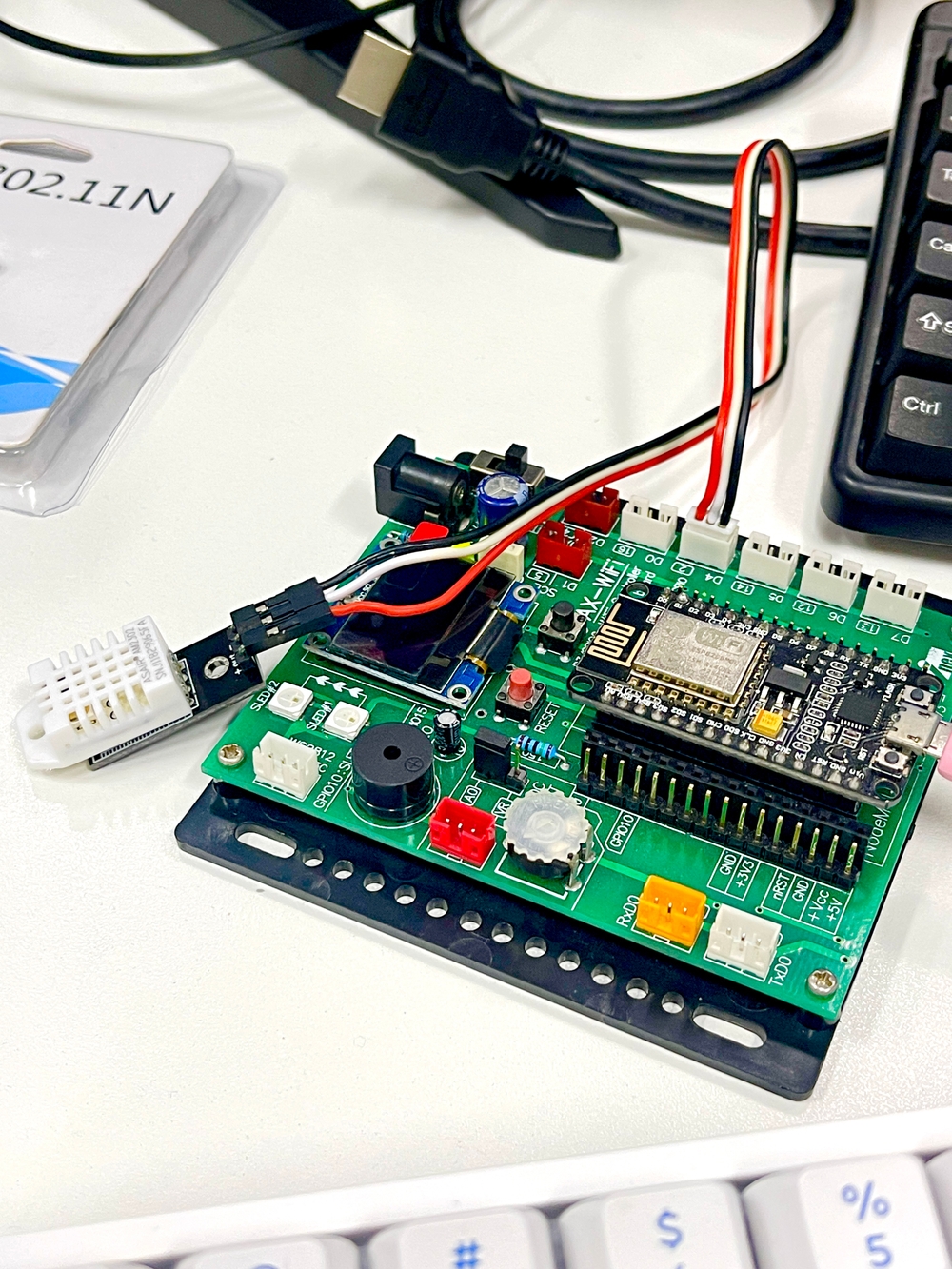
IOT Platform
An IoT (Internet of Things) platform is a comprehensive suite of tools and services designed to facilitate the development, deployment, and management of IoT devices and applications.
- Device Management: Provisioning, monitoring, and firmware updates for connected devices.
- Connectivity: Support for various communication protocols and network management.
- Data Management: Collecting, storing, and processing data from devices.
- Analytics: Real-time insights and historical data analysis, often enhanced by machine learning.
- User Interface: Customizable dashboards and mobile/web apps for user interaction.
- Security: Data encryption, authentication, and compliance with regulations.
- Integration: APIs for connecting with third-party services and other devices.
Use Cases:
- Smart Home: Control of appliances and security systems.
- Industrial IoT: Machinery monitoring and predictive maintenance.
- Healthcare: Patient data tracking and device monitoring.
- Agriculture: Soil and crop health monitoring.
Popular Platforms:
- AWS IoT Core
- Google Cloud IoT
- Microsoft Azure IoT Hub
- Blynk
Code
LED
       #define BLYNK_PRINT Serial
#define BLYNK_TEMPLATE_ID "template ID"  // Replace with your Template ID
#define BLYNK_TEMPLATE_NAME "Template v1"  // Replace with your Template Name
#define BLYNK_AUTH_TOKEN "Auth Token"  // Replace with your Auth Token

#include <ESP8266WiFi.h>
#include <BlynkSimpleEsp8266.h>

char auth[] = BLYNK_AUTH_TOKEN;
char ssid[] = "YourNetworkName";  // Replace with your Wi-Fi SSID
char pass[] = "YourPassword";  // Replace with your Wi-Fi Password

void setup() {
  Serial.begin(115200);
  Blynk.begin(auth, ssid, pass);
}

void loop() {
  Blynk.run();
}
Slider
       #define BLYNK_PRINT Serial
#define BLYNK_TEMPLATE_ID "template ID"  // Replace with your Template ID
#define BLYNK_TEMPLATE_NAME "Template v1"  // Replace with your Template Name
#define BLYNK_AUTH_TOKEN "Auth Token"  // Replace with your Auth Token

#include <ESP8266WiFi.h>
#include <BlynkSimpleEsp8266.h>

char auth[] = BLYNK_AUTH_TOKEN;
char ssid[] = "YourNetworkName";  // Replace with your Wi-Fi SSID
char pass[] = "YourPassword";      // Replace with your Wi-Fi Password
#define LEDPIN D4  // Define the LED pin

BLYNK_WRITE(V1) {
  int pinValue = param.asInt();
  Serial.print("V1 Slider value is: ");
  Serial.println(pinValue);
  analogWrite(LEDPIN, pinValue);  // Adjust LED brightness
}

void setup() {
  Serial.begin(115200);
  pinMode(LEDPIN, OUTPUT);
  Blynk.begin(auth, ssid, pass);
}

void loop() {
  Blynk.run();
}
DHT
#define BLYNK_PRINT Serial
#define BLYNK_TEMPLATE_ID "template ID"  // Replace with your Template ID
#define BLYNK_TEMPLATE_NAME "Template v1"  // Replace with your Template Name
#define BLYNK_AUTH_TOKEN "Auth Token"  // Replace with your Auth Token

#include <ESP8266WiFi.h>
#include <BlynkSimpleEsp8266.h>
#include <DHT.h>

char auth[] = BLYNK_AUTH_TOKEN;
char ssid[] = "YourNetworkName";  // Replace with your Wi-Fi SSID
char pass[] = "YourPassword";      // Replace with your Wi-Fi Password

#define DHTTYPE DHT22
#define DHTPIN D5
#define LEDPIN D4

DHT dht(DHTPIN, DHTTYPE);
float h;
float t;
BlynkTimer timer;

// Function to send DHT data to Blynk
void sendDHTdata() {
  h = dht.readHumidity();
  t = dht.readTemperature();

  // Check if readings are valid
  if (isnan(h) || isnan(t)) {
    Serial.println("Failed to read from DHT sensor!");
    return;
  }

  Serial.print("Humidity: ");
  Serial.print(h);
  Serial.print("% | ");
  Serial.print("Temperature: ");
  Serial.print(t);
  Serial.println("C");

  // Send data to Blynk
  Blynk.virtualWrite(V2, h);
  Blynk.virtualWrite(V3, t);
}

// Blynk write function for slider
BLYNK_WRITE(V1) {
  int pinValue = param.asInt();
  Serial.print("V1 Slider value is: ");
  Serial.println(pinValue);
  analogWrite(LEDPIN, pinValue);  // Adjust LED brightness
}

void setup() {
  Serial.begin(115200);
  dht.begin();
  pinMode(LEDPIN, OUTPUT);
  Blynk.begin(auth, ssid, pass);
  timer.setInterval(5000, sendDHTdata);  // Send data every 5 seconds
}

void loop() {
  Blynk.run();
  timer.run();
}
Classwork
       #define BLYNK_PRINT Serial
#define BLYNK_TEMPLATE_ID "template ID"  // Replace with your Template ID
#define BLYNK_TEMPLATE_NAME "Template v1"  // Replace with your Template Name
#define BLYNK_AUTH_TOKEN "Auth Token"  // Replace with your Auth Token

#include <ESP8266WiFi.h>
#include <BlynkSimpleEsp8266.h>
#include <DHT.h>
#include <Wire.h>
#include <BH1750.h>

char auth[] = BLYNK_AUTH_TOKEN;
char ssid[] = "YourNetworkName";  // Replace with your Wi-Fi SSID
char pass[] = "YourPassword";      // Replace with your Wi-Fi Password

#define DHTTYPE DHT22
#define DHTPIN D5
#define LEDPIN02 D6

#define SDA D2
#define SCL D1

DHT dht(DHTPIN, DHTTYPE);
BlynkTimer timer;
BH1750 lightMeter;

float h;
float t;

// Function to send DHT data to Blynk
void sendDHTdata() {
  h = dht.readHumidity();
  t = dht.readTemperature();

  // Check if readings are valid
  if (isnan(h) || isnan(t)) {
    Serial.println("Failed to read from DHT sensor!");
    return;
  }

  Serial.print("Humidity: ");
  Serial.print(h);
  Serial.print("% | ");
  Serial.print("Temperature: ");
  Serial.print(t);
  Serial.println("C");

  // Send data to Blynk
  Blynk.virtualWrite(V2, h);
  Blynk.virtualWrite(V3, t);
}

// Function to send light data to Serial and Blynk
void sendLightData() {
  float lux = lightMeter.readLightLevel();
  Serial.print("Light: ");
  Serial.print(lux);
  Serial.println(" lx");
  Blynk.virtualWrite(V4, lux);  // Send light level to Blynk
  analogWrite(LEDPIN02, lux);  // Adjust LED brightness
}

// Blynk write function for slider
BLYNK_WRITE(V1) {
  int pinValue = param.asInt();
  Serial.print("V1 Slider value is: ");
  Serial.println(pinValue);
  analogWrite(LEDPIN02, pinValue);  // Adjust LED brightness
}

void setup() {
  Serial.begin(115200);
  dht.begin();
  pinMode(LEDPIN, OUTPUT);
  Blynk.begin(auth, ssid, pass);
  Wire.begin(SDA, SCL);  // Initialize I2C
  lightMeter.begin();

  timer.setInterval(5000, sendDHTdata);   // Send DHT data every 5 seconds
  timer.setInterval(1000, sendLightData); // Send light data every second
}

void loop() {
  Blynk.run();
  timer.run();
}