Published
- 3 min read
CPE241 Week 5
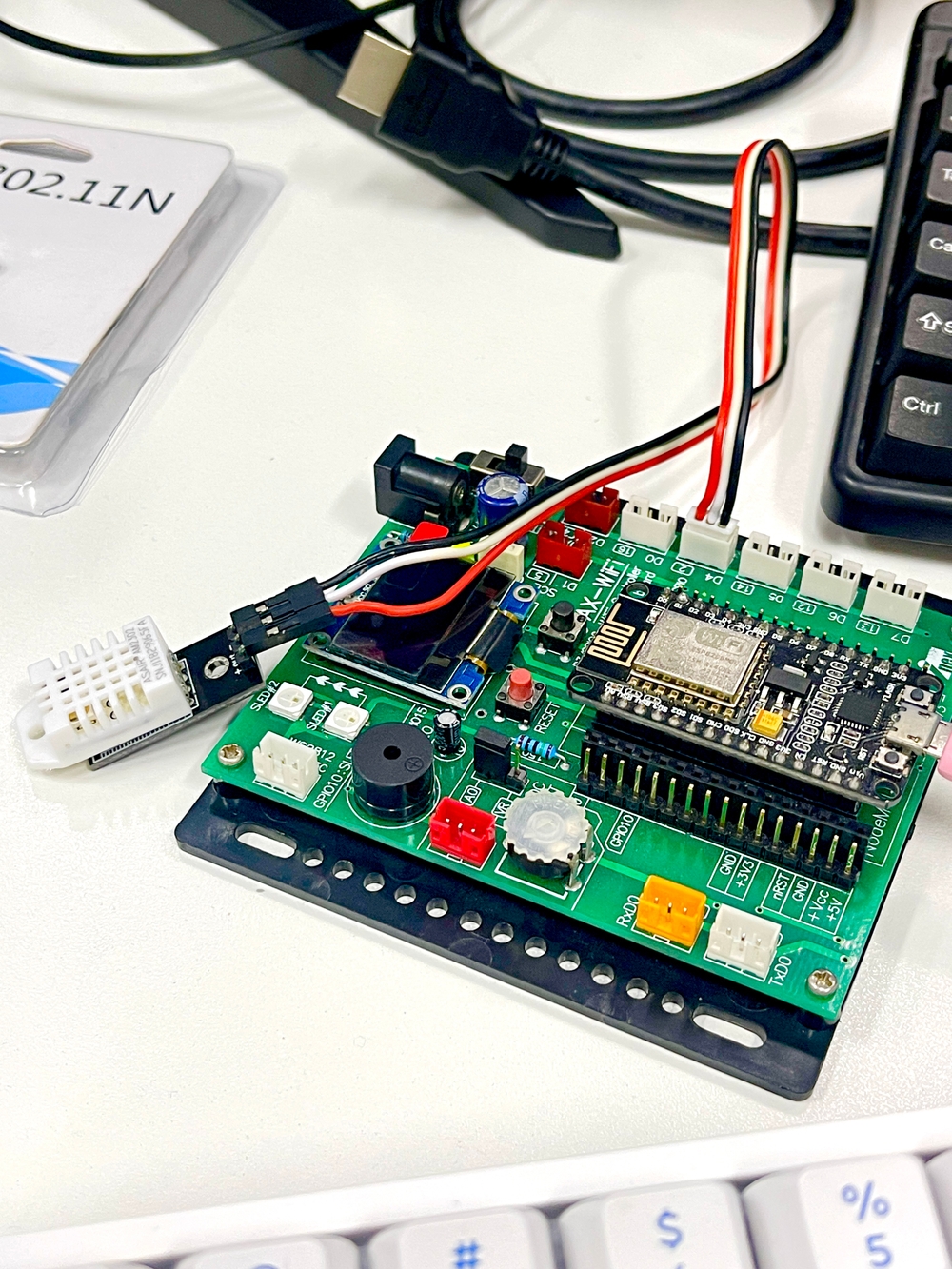
Basic of IOT Networking
Devices that connect to a Wi-Fi network are referred to as Stations (STA). To connect to Wi-Fi, an access point (AP) is used to distribute the signal to the devices. An access point often connects to a wired network and is typically integrated into a router to provide access to the internet.
The access point has a name known as SSID (Service Set Identifier), which is the network name that you select when connecting devices to Wi-Fi
Access Point
softAP
This command creates a soft access point, specifying the SSID.
WiFi.softAP(ssid)
You can also set a password and other network parameters:
WiFi.softAP(ssid, password, channel, hidden, max_connection)
In this context:
ssid: The network name of the Access Point.password: (Optional) The password for the Access Point.channel: (Optional) The channel number on which the Access Point will operate.hidden: (Optional) A boolean value indicating whether the SSID should be hidden.max_connection: (Optional) The maximum number of clients that can connect to the Access Point.
Configure
Replace "ssid" and "password" with your actual Wi-Fi credentials to configure the access point.
Project 1
       #include <ESP8266WiFi.h>

void setup() {
  Serial.begin(115200);
  Serial.println();
  Serial.println("Start access point...");
  WiFi.softAP("ssid", "password");

  IPAddress myIP = WiFi.softAPIP();
  Serial.print("AP IP address: ");
  Serial.println(myIP);
}

void loop() {
}
Access Point + Webserver
Create webserver
Create a Web Server Object Named server
You create a web server object with the name server using the following command:
ESP8266WebServer server(80);
Here, server listens for requests from clients (web browsers) on port 80, which is the standard port for web browsers and web servers.
Sending HTTP Status Codes and Web Page Data to the Browser/Client
To send an HTTP status code and web page data to a browser or client, use the following command:
server.send(HTTPstatuscode, "Content-Type", "Message");
server.send(200, "text/html", "<h1>You are connected</h1>");
server.send(200, "text/plain", "Hello World!!");
Handling Requests with server.on
The server.on command sets up a function to handle requests when a client accesses a specific URI:
server.on("URI", HandlerFunction);
server.on("/", handleRoot);
Handling Client Requests
The handleClient() function waits for client requests. When a request comes in, it invokes the functions you have defined.
Project 2
       #include <ESP8266WiFi.h>
#include <ESP8266WebServer.h>

ESP8266WebServer server(80);

void handleRoot() {
  server.send(200, "text/html", "<h1>You are connected</h1>");
}

void setup() {
  delay(1000);
  Serial.begin(115200);
  Serial.println();
  Serial.println("Configuring access point...");
  WiFi.softAP("ssid", "password");
  IPAddress myIP = WiFi.softAPIP();
  Serial.print("AP IP address: ");
  Serial.println(myIP);
  server.on("/", handleRoot);
  server.begin();
  Serial.println("HTTP server started");
}

void loop() {
  server.handleClient();
}
Access Point + Webserver + DHT22
Don’t use webserver
Project 3
       #include <DHT.h>
#define DHTTYPE DHT22
#define DHTPIN D4

DHT dht(DHTPIN, DHTTYPE);

float humid;
float temp;

void setup() {
  dht.begin();
  Serial.begin(115200);
}

void loop() {
  humid = dht.readHumidity();
  temp = dht.readTemperature();
  Serial.print("Temp: ");
  Serial.print(temp);
  Serial.print(" , Humid: ");
  Serial.println(humid);
  delay(2000);
}
Use webserver
Project 4
       #include <ESP8266WiFi.h>
#include <ESP8266WebServer.h>
#include <DHT.h>

ESP8266WebServer server(80);
#define DHTTYPE DHT22
#define DHTPIN D4

DHT dht(DHTPIN, DHTTYPE);
float humid;
float temp;

void readTempHumid() {
  humid = dht.readHumidity();
  temp = dht.readTemperature();

  if (isnan(humid) || isnan(temp)) {
    Serial.println("Failed to read from DHT sensor!");
    return;
  }

  Serial.print("Temp: ");
  Serial.print(temp);
  Serial.print(" , Humid: ");
  Serial.println(humid);
}

void handleRoot() {
  readTempHumid();
  delay(200);

  String strHTML = "<!DOCTYPE html><html>";
  strHTML += "<head><meta http-equiv=\"refresh\" content=\"3\"/>";
  strHTML += "<title>Web Server</title>";
  strHTML += "</head><body><h1>Web Server</h1>";
  strHTML += "<h3>Sensors</h3>";
  strHTML += "<ul><li>Temperature (C) : ";
  strHTML += temp;
  strHTML += "</li>";
  strHTML += "<li>Humid(%) :";
  strHTML += humid;
  strHTML += "</li></ul>";
  strHTML += "</body></html>";

  server.send(200, "text/html", strHTML);
}

void setup() {
  dht.begin();
  delay(1000);
  Serial.begin(115200);
  Serial.println();
  Serial.print("Configuring access point...");
  WiFi.softAP("ssid", "password");
  IPAddress myIP = WiFi.softAPIP();
  Serial.print("AP IP address: ");
  Serial.println(myIP);
  server.on("/", handleRoot);
  server.begin();
  Serial.println("HTTP server started");
}

void loop() {
  server.handleClient();
}